

 Download App



The National Testing Agency (NTA) has opened the application form correction window for JEE Main 2027 Session 1. Candidates who have already submitted their application forms can now review and make necessary corrections to their details within the permitted time.
According to the information shared by NTA, the correction facility is available from November 27 to November 29, 2026, up to 11:50 PM. Candidates are advised to carefully check their application forms and correct any mistakes before the deadline.
The correction facility allows candidates to update specific personal, academic and examination-related details. However, some information, such as mobile numbers, email addresses and permanent and present addresses, cannot be changed.
Candidates can access the correction facility through the official JEE Main website at jeemain.nta.nic.in.
JEE Main 2027 Session 1 Correction Window: Important Dates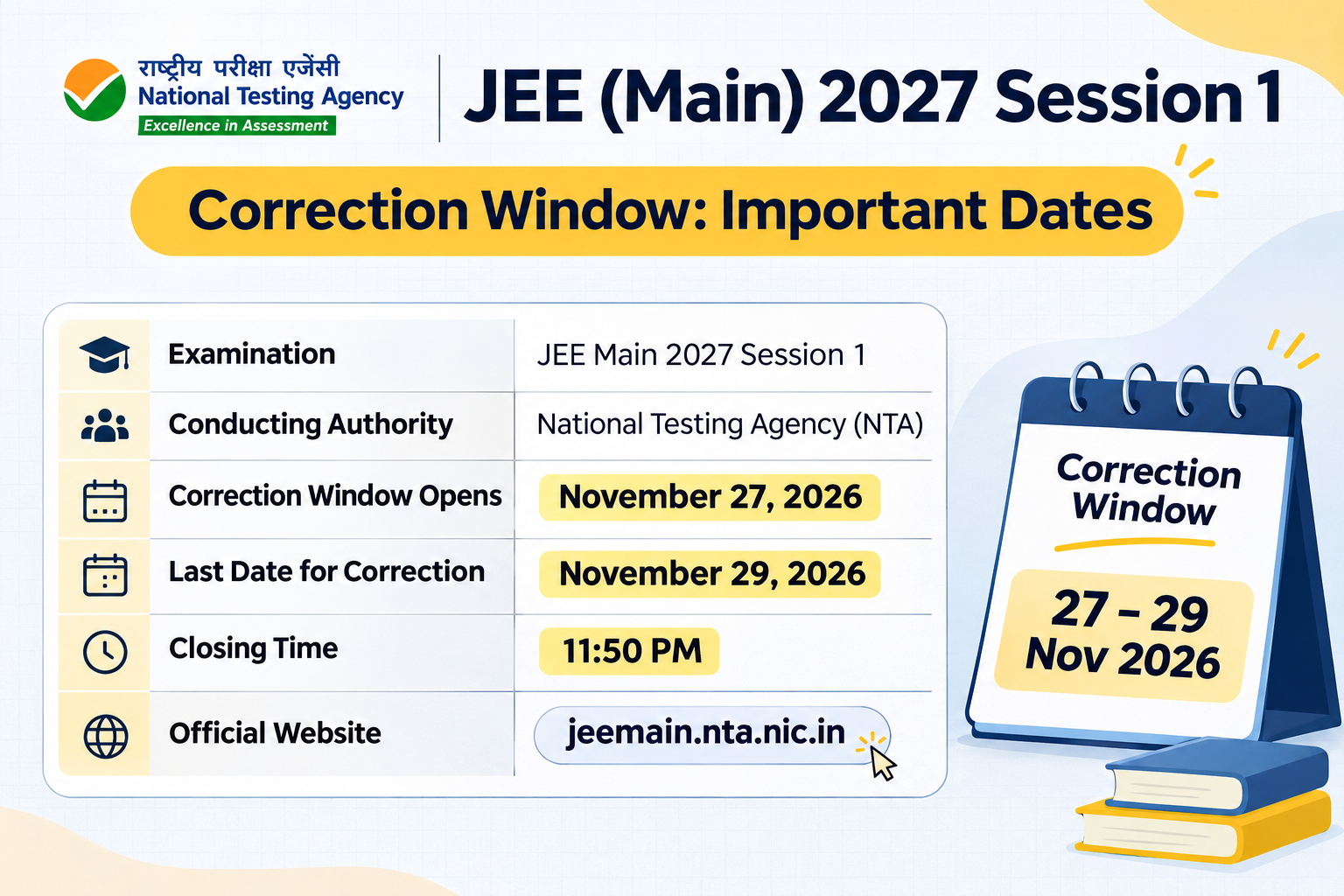
Candidates should remember the following important dates related to the JEE Main 2027 application correction facility.
Particulars Details
Examination JEE Main 2027 Session 1
Conducting Authority National Testing Agency (NTA)
Correction Window Opens November 27, 2026
Last Date for Correction November 29, 2026
Closing Time 11:50 PM
Official Website jeemain.nta.nic.in
What Details Can Be Corrected in the JEE Main 2027 Application Form?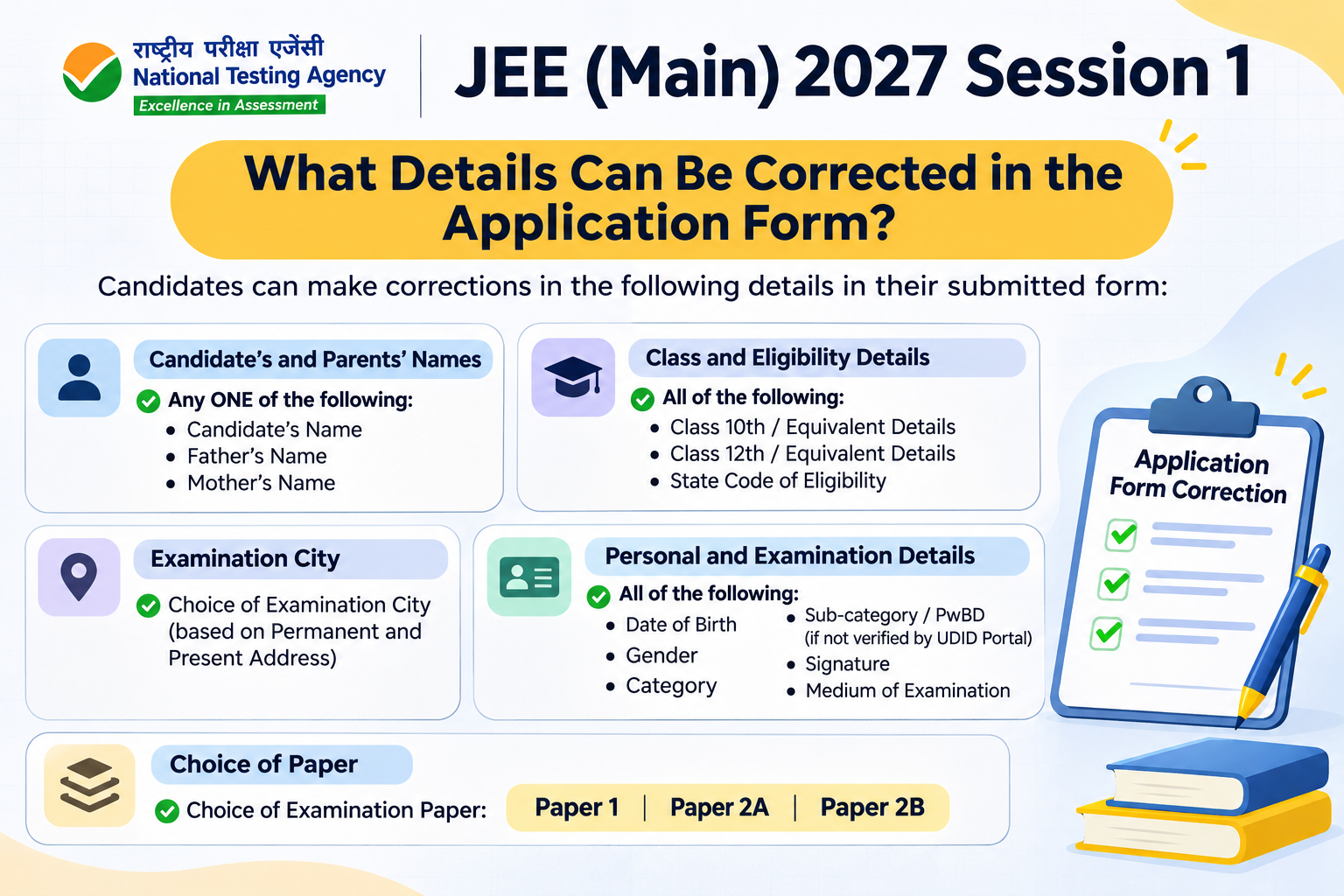
NTA has allowed candidates to make corrections in selected fields of their submitted application forms. However, the correction rules are different for different sections.
Candidates can make changes in the following details:
1. Candidate's Name and Parents' Names
Candidates can correct any one of the following three details:
- Candidate's Name
- Father's Name
- Mother's Name
It is important to note that candidates can select only one of these three fields for correction.
2. Class 10th and Class 12th Details
Candidates can make corrections to all the following academic details:
- Class 10th or equivalent examination details
- Class 12th or equivalent examination details
- State Code of Eligibility
Students should carefully verify their academic information before submitting the corrections.
3. Examination City
Candidates can also modify their choice of examination city. The selection of the examination city will be based on the candidate's permanent and present address.
Students should select their examination city carefully while making changes to their application forms.
4. Personal and Examination Details
NTA has also permitted corrections in all the following fields:
- Date of Birth
- Gender
- Category
- Sub-category or PwBD status (if not verified through the UDID Portal)
- Signature
- Medium of Examination
Candidates should ensure that the updated information matches their official documents wherever applicable.
5. Choice of Examination Paper
Candidates can also modify their choice of examination paper. The available options include:
- Paper 1
- Paper 2A
- Paper 2B
Students should check their preferred examination paper before submitting the final correction.
What Details Cannot Be Changed in JEE Main 2027 Application Form?
Although NTA has provided a correction facility, candidates cannot modify every detail in their submitted application forms.
According to the information provided in the official notice, the following details cannot be edited:
- Mobile Number
- Email Address
- Permanent Address
- Present Address
- Emergency Contact Details
- Photograph of the Candidate
Candidates should remember these restrictions before accessing the correction window.
How to Make Corrections in the JEE Main 2027 Application Form?
Candidates who want to correct their submitted application forms can follow these steps:
1. Visit the official JEE Main website at jeemain.nta.nic.in.
2. Open the JEE Main 2027 Session 1 application correction link.
3. Log in using the required application credentials.
4. Open the submitted application form.
5. Carefully check the details that are allowed to be corrected.
6. Make the necessary changes in the permitted fields.
7. Review all the updated information before final submission.
8. Pay the additional correction fee, if applicable.
9. Submit the corrected application form.
10. Download or save a copy of the final confirmation page for future reference.
Candidates are advised to keep a copy of the corrected application form for future use.
Important Instructions for JEE Main 2027 Application Form Correction
Before making any changes, candidates should understand the important instructions issued by NTA.
1. Only One Correction Opportunity: Candidates will receive only one opportunity to make corrections to their submitted application forms.
2. Application Form Will Be Frozen: Once the corrections are submitted, the application form will be frozen. Candidates will not be able to make further changes.
3. Additional Correction Fee: Candidates must pay an additional fee wherever applicable. The fee paid for corrections will not be refunded.
4. No Corrections After the Deadline: NTA will not accept any further correction requests after November 29, 2026.
Therefore, candidates should avoid making unnecessary changes and carefully verify every detail before submitting the corrected application form.
JEE Main 2027 Correction Window: Official Website and Contact Details.png)
Candidates can visit the official NTA website to access the application correction facility and read the detailed public notice.
Contact Information Details
Official Website https://jeemain.nta.nic.in
NTA Website https://www.nta.ac.in
Email jeemain@nta.ac.in
Helpline Numbers 011-40759000 / 1800-180-4747
Conclusion
The JEE Main 2027 Session 1 application form correction facility is an important opportunity for candidates to correct mistakes in their submitted applications. Since NTA will provide only one correction opportunity, students should carefully review all permitted details before making the final submission.
Candidates must complete the correction process by November 29, 2026, up to 11:50 PM. They should also check the official NTA public notice for detailed instructions and applicable correction fees.
Powered by Froala Editor